Why Proper Programming Matters More Than You Think
By 4C Robotics & Repair, LLC
Industrial robots are only as effective as the people programming and maintaining them. Whether your facility uses robots for welding, material handling, palletizing, packaging, or machine tending, the teach pendant is one of the most important tools for controlling your robotic system.
At 4C Robotics & Repair, we often see production issues that aren’t caused by mechanical failures—they’re the result of programming mistakes, incorrect pendant operation, or changes made without proper understanding. Learning the basics of teach pendants and robot programming can help reduce downtime, improve quality, and keep your employees safe.
What Is a Robot Teach Pendant?
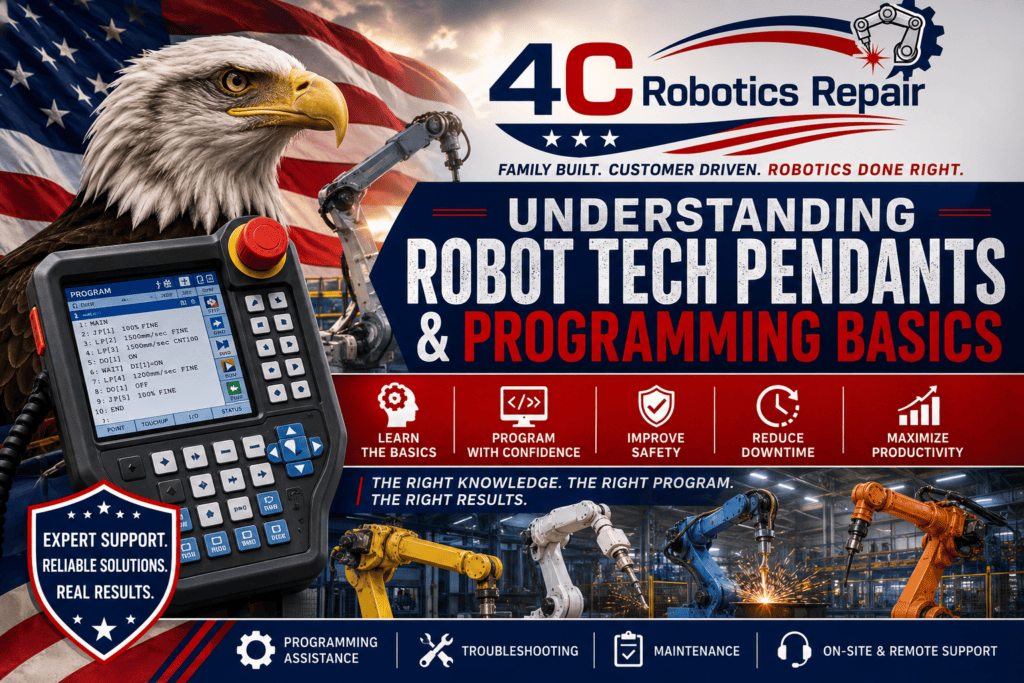
A teach pendant is the handheld programming device used to communicate directly with an industrial robot. Think of it as the robot’s control center.
With a teach pendant, technicians can:
- Teach new robot positions
- Create and edit programs
- Jog the robot in multiple directions
- Monitor robot inputs and outputs
- Troubleshoot alarms and faults
- Adjust speeds and motion parameters
- Backup and restore robot programs
- Test production sequences safely
While teach pendants may look different between manufacturers, the overall functions remain very similar.
Understanding Basic Robot Programming
Programming an industrial robot is much more than simply moving the robot from one point to another. Every movement must consider:
- Cycle time
- Product quality
- Collision avoidance
- Tool orientation
- Speed and acceleration
- Payload limitations
- Safety zones
- External devices
Even a small programming change can affect an entire production cell.
Common Programming Concepts
Although every robot brand has its own software language, most industrial robots use similar programming principles.
Motion Instructions
Robots typically move using:
- Joint Motion (fastest movement)
- Linear Motion (straight-line movement)
- Circular Motion (arc movements)
Choosing the wrong motion type can increase cycle time or create unexpected robot paths.
Position Registers
Robots store taught positions in memory.
Examples include:
- Pick locations
- Place locations
- Home position
- Tool change positions
- Inspection points
Accidentally modifying one position can affect multiple production programs.
Inputs and Outputs (I/O)
Industrial robots constantly communicate with surrounding equipment.
Examples include:
- PLC communication
- Conveyor sensors
- Safety gates
- Pneumatic grippers
- Vision systems
- Weld equipment
Understanding I/O is essential for reliable automation.
Frames and Tool Data
One of the most misunderstood concepts in robot programming is coordinate systems.
Programmers must understand:
- Tool Frames
- User Frames
- World Coordinates
- Joint Coordinates
Incorrect frame settings often cause robots to miss targets or crash into fixtures.
Common Programming Mistakes
At 4C Robotics & Repair, we frequently help customers recover from programming issues such as:
- Accidentally overwriting robot programs
- Incorrect TCP (Tool Center Point) settings
- Wrong User Frame selection
- Editing the wrong position register
- Running programs in the wrong operating mode
- Failing to back up programs before making changes
- Ignoring robot alarm history
- Programming around problems instead of fixing the root cause
Most of these issues are completely preventable with proper training.
Why Training Matters
Many maintenance technicians become responsible for robot programming without receiving formal robot training.
This can lead to:
- Increased downtime
- Product quality issues
- Robot crashes
- Tool damage
- Lost production
- Safety concerns
Investing in programming education gives technicians the confidence to troubleshoot problems correctly instead of relying on trial and error.
Safety Always Comes First
Robot programming should never sacrifice safety for convenience.
Always remember to:
- Follow Lockout/Tagout procedures when required.
- Verify the robot is in the correct operating mode.
- Keep personnel outside the robot’s operating envelope.
- Use reduced speed while teaching positions.
- Confirm safety devices are functioning before testing.
- Never bypass safety circuits.
- Understand emergency stop procedures before beginning any programming.
A well-programmed robot is not only productive—it is also safe.
How 4C Robotics & Repair Can Help
Whether you’re introducing robots for the first time or maintaining an established automation system, 4C Robotics & Repair provides expert support to keep your equipment operating safely and efficiently.
Our services include:
- Robot programming assistance
- Teach pendant troubleshooting
- Program backups and recovery
- Robot calibration
- Preventive maintenance
- Emergency robot repair
- Robot refurbishment
- Startup and commissioning support
- Safety consultations
- Technical troubleshooting
- On-site and remote support
Our experienced team works with many of the industry’s leading industrial robot platforms and understands that every minute of downtime impacts your production.
Family Built. Customer Driven. Robotics Done Right.
At 4C Robotics & Repair, we believe that great customer service starts with sharing knowledge. Helping customers understand their robotic systems empowers them to operate more safely, reduce downtime, and get the most from their automation investment.
Whether you need programming assistance, emergency service, preventive maintenance, or expert troubleshooting, our team is ready to help.
Contact 4C Robotics & Repair, LLC
Family Built. Customer Driven. Robotics Done Right.
Carl Faulkner – Owner & Operator
📞 740-341-6153
📧 cf@4croboticrepair.com
Stephanie Faulkner – Co-Owner & Accounting
📞 567-231-6153
📧 4croboticsandrepair@gmail.com
When your robots need expert service, trust the family-owned company committed to keeping your automation running at its best.
